

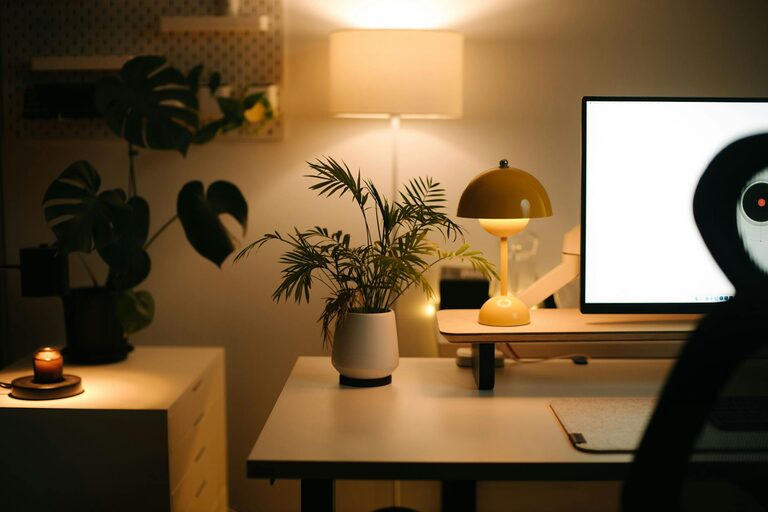
Creating a productive home workspace is essential for anyone working remotely or spending substantial time on personal projects. A well-designed environment can significantly boost your focus, reduce distractions, and improve comfort, making your workday smoother and more enjoyable. Whether you have a dedicated room or just a corner in your living space, these tips will help you create a workspace that supports your best work.
Choose the Right Location
The first step to a productive home workspace is selecting the right spot. Ideally, this should be:
– Quiet and free from distractions: Choose a place away from household noise or high-traffic areas.
– Well-lit: Natural light is preferable, as it can enhance mood and alertness. If natural light is limited, invest in quality lighting that mimics daylight.
– Adequate space: Make sure there is enough room for your desk, chair, and any equipment without feeling cramped.
If possible, reserve a separate room for your workspace to clearly separate work and home life.
Invest in Comfortable and Ergonomic Furniture
Comfort plays a huge role in productivity. Using proper furniture helps prevent discomfort and health issues.
– Ergonomic chair: Invest in a chair that supports your lower back and encourages good posture. Adjustable features like height and armrests add to comfort.
– Desk height: Your desk should allow you to keep your elbows at a 90-degree angle while typing. Adjustable desks or sit-stand desks can add variety.
– Monitor setup: Position your monitor at eye level to avoid neck strain. Use a monitor stand if needed.
– Accessories: Consider wrist rests, keyboard trays, and footrests to enhance comfort.
Organize Your Workspace for Efficiency
Clutter can hinder focus, so keep your workspace tidy and organized.
– Use storage solutions: Shelves, drawers, and bins can keep supplies out of sight but easily accessible.
– Limit items on your desk: Keep only essentials such as your computer, notepad, and a few personal touches.
– Cable management: Use cable clips or sleeves to keep cords organized and prevent tangling.
– Digital organization: Regularly clean your desktop and use productivity apps to keep your digital workspace orderly.
Minimize Distractions
Distractions can quickly reduce focus and productivity. Try these strategies:
– Noise control: Use noise-canceling headphones or play soft background music if ambient noise distracts you.
– Turn off notifications: Silence non-essential phone and computer notifications during focused work periods.
– Designate work hours: Communicate your schedule to family or housemates to minimize interruptions.
– Limit social media: Use apps or browser extensions to block distracting sites during work time.
Personalize Your Space
Adding personal touches can make your workspace inviting and boost motivation.
– Plants: Indoor plants can improve air quality and add a calming element.
– Artwork or photos: Choose images that inspire or make you happy, but avoid clutter.
– Colors: Consider painting or decorating with colors that promote concentration, like blues or greens.
– Comfort items: A cozy throw or ergonomic accessories can make your space enjoyable.
Prioritize Proper Lighting and Air Quality
Both lighting and air quality impact your comfort and ability to focus.
– Natural light: Position your desk near a window if possible. Avoid glare by angling your screen.
– Supplemental lighting: Use a desk lamp with adjustable brightness for late-evening work.
– Ventilation: Ensure your workspace has good airflow. Open windows or use an air purifier to maintain fresh air.
– Temperature control: Keep the temperature comfortable, as being too hot or cold can distract you.
Create a Routine and Define Boundaries
Your workspace is only as productive as your habits.
– Set work hours: Establish consistent start and end times to create routine.
– Take breaks: Use techniques like the Pomodoro method to work in focused bursts followed by short rests.
– Separate work from leisure: When work is over, physically leave your workspace to mentally disconnect and relax.
– Plan your day: Write a to-do list or schedule tasks to stay organized and motivated.
Use Technology Wisely
Modern technology offers many tools to support productivity.
– Good internet connection: Ensure your Wi-Fi is strong and reliable.
– Quality equipment: Invest in a good headset, webcam, and keyboard if necessary.
– Productivity apps: Use calendars, task managers, and time trackers to organize your work.
– Backup system: Regularly back up your work to avoid data loss.
Final Thoughts
Creating a productive home workspace tailored to your needs and preferences takes some effort, but the payoff is worth it. Comfort, organization, and minimized distractions work together to boost your focus and efficiency. Remember to reassess your setup regularly and adjust as your needs evolve. With these tips, you’ll be on your way to a more comfortable and productive work-from-home experience.