

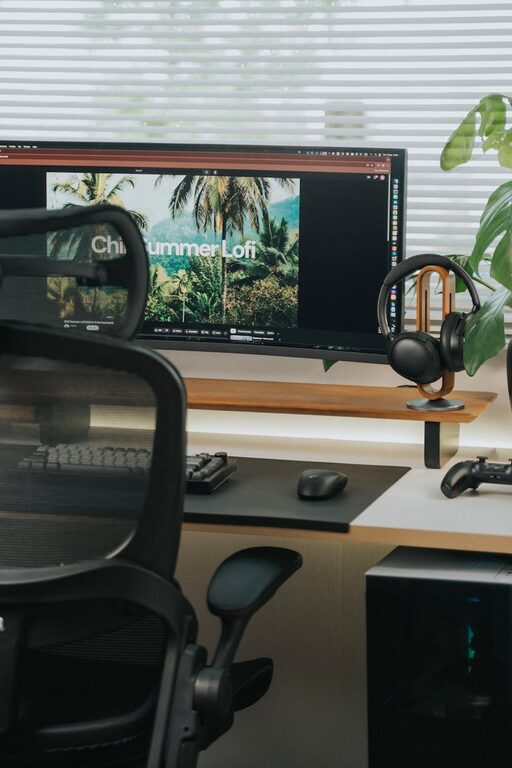
Working from home has become a norm for many people, making it essential to create a productive home office environment. A well-organized and comfortable workspace can improve focus, reduce stress, and increase overall work satisfaction. Whether you have a small corner or a dedicated room, these tips will help you design a home office that supports productivity and well-being.
Choose the Right Location
Find a Dedicated Space
Ideally, your home office should have a designated area separate from everyday living spaces. This separation helps to mentally distinguish work time from personal time, enhancing focus and reducing distractions.
Consider Lighting and Noise
Natural light is one of the best ways to create a pleasant work environment. Position your desk near a window if possible. Additionally, consider noise levels: choose a quieter area or use noise-canceling headphones to maintain concentration.
Invest in Comfortable and Functional Furniture
Ergonomic Chair
A good chair supports your posture, reducing strain on your back and neck during long hours of work. Look for adjustable options that provide lumbar support.
Suitable Desk
Choose a desk with enough space for your computer, paperwork, and any other tools you use regularly. Adjustable desks or standing desk options can also be beneficial for varying your position throughout the day.
Organize Your Workspace Efficiently
Declutter Regularly
Keep only essentials on your desk to avoid distractions. Regular decluttering clears mental space and helps you stay focused.
Use Storage Solutions
Drawers, shelves, and organizers help keep important files and supplies within reach but out of sight, maintaining a tidy environment.
Cable Management
Tidy cables improve the look of your office and prevent accidents. Use cable ties or clips to keep cords organized.
Optimize Technology and Tools
Reliable Internet
Ensure your internet connection is fast and stable, especially if your work involves video calls or large file uploads.
Quality Equipment
Invest in a good computer, headset, webcam, and other tools that match your job requirements. This helps you work efficiently without frustration.
Backup and Security
Use cloud storage or external drives for backups, and keep your software updated to protect your work and data.
Set Boundaries and Routine
Establish Work Hours
Set clear start and end times to your workday to maintain a healthy work-life balance.
Inform Household Members
Communicate your schedule with family or roommates to minimize interruptions.
Take Regular Breaks
Short breaks improve focus and prevent burnout. Consider techniques like the Pomodoro method—working for 25 minutes followed by a 5-minute break.
Personalize Your Space for Motivation
Add Plants
Plants can improve air quality and add a touch of nature, contributing to a calming atmosphere.
Inspirational Items
Use art, photos, or motivational quotes that encourage positivity and keep you motivated.
Comfort Accessories
Include items like cushions, footrests, or rugs to make your workspace more inviting.
Maintain Good Air Quality and Temperature
Ventilation
Fresh air reduces fatigue and improves concentration. Open windows when possible or use air purifiers.
Temperature Control
Adjust heating or cooling to maintain a comfortable temperature that suits your preferences.
—
Creating a home office tailored to your needs can significantly enhance your productivity and well-being. By focusing on location, comfort, organization, technology, and routine, you set yourself up for success in your remote work journey. Remember, small changes can make a big difference in creating a space you look forward to working in every day.